
Project Commands
brain project analyze
Recursively scans the repository, performs AST parsing, and stores results to .brain/data.json.
brain project analyze [path]brain project
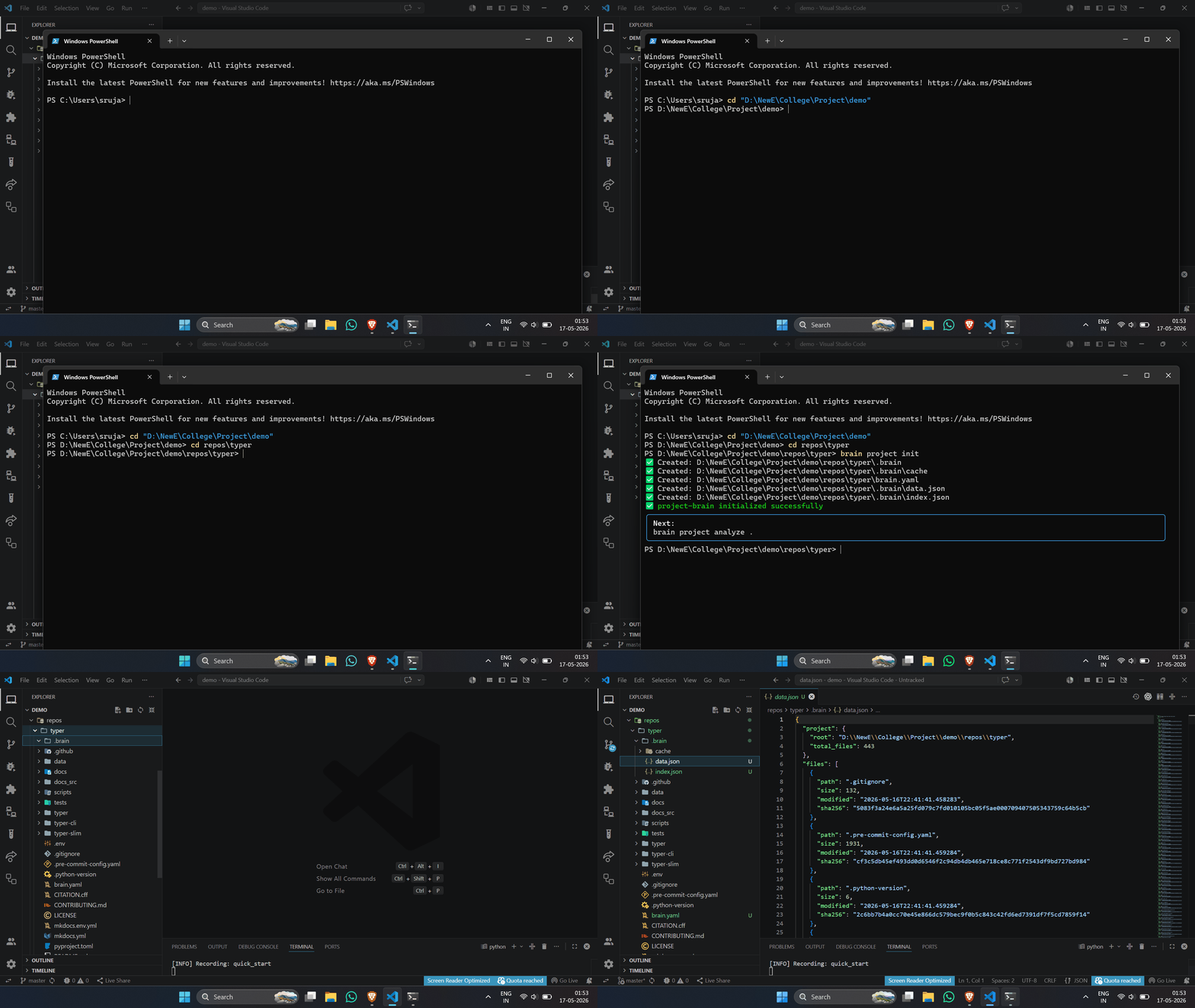
Step-by-step CLI demo: init and analyze
| Argument | Type | Default | Description |
|---|---|---|---|
path | string | . | Root directory to analyze |
What it does
- •Recursively traverses all files
- •Skips paths in analysis.ignore (brain.yaml)
- •Skips binary files automatically
- •Skips test files if include_tests: false
- •Parses Python files with AST module
- •Extracts functions, classes, metadata, SHA256 hashes
Output
.brain/data.jsonNote
Invalid or unreadable Python files are silently skipped — analysis never crashes. Check
.brain/logs.txt for skipped files.Example output
🔍 Analyzing: .

📋 File Paths:
    src/api.py
    src/utils.py
    src/models.py

✅ Analysis complete → brain project summary